
Halloween backgrounds for Zoom and Teams
Click one to add your name card and download it.
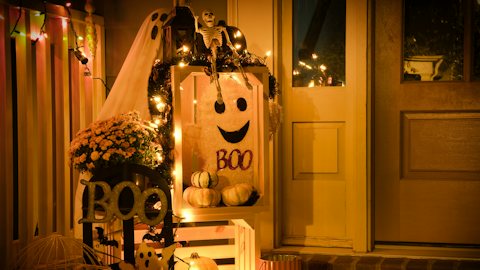


A Halloween background is an easy way to join the fun on a team call without a costume. These stay spooky but not gory, so they work for a client call as well as the office party. Your name card sits on top, so people still know who you are.
How to add a Halloween background in Teams, Zoom and Google Meet
Text looks backwards in your own preview? That's your camera's mirror view. Everyone else sees it the right way round.
Questions about Halloween backgrounds
01Is a Halloween background OK for a work call?
These are. They use warm pumpkins, candles and porch lights, with nothing gory, so they fit a team meeting or a client call. Keep something from the regular gallery handy for formal calls.
02Are these Halloween backgrounds free?
Yes. Every Halloween background is free to customize and download with your name, title, company, logo and QR code, and you don't need an account. Free downloads carry a small "Made with ProIntro" line on the name card. ProIntro Pro ($2.99/mo) removes it.
03What size are the backgrounds?
Every download is a 1920×1080 PNG, the standard 16:9 HD size. It fills the frame in Microsoft Teams, Zoom and Google Meet without stretching or black bars.
04Why does the text look backwards in my preview?
Meeting apps mirror your own video. Only your preview is flipped. Everyone else sees your name and QR code the right way round.






Put your name on your next call
Pick a background and download it in under a minute.
Photos on Unsplash by Clint Patterson, Sophie Coonen, Anna Kumpan.